🛠️ AI@CustomCode Implementation
The Implementation page shows the ATC Implementation reports of a cycle. The AI application implements the approved analysis in iterations; each iteration has its own report, and each report is signed off here.
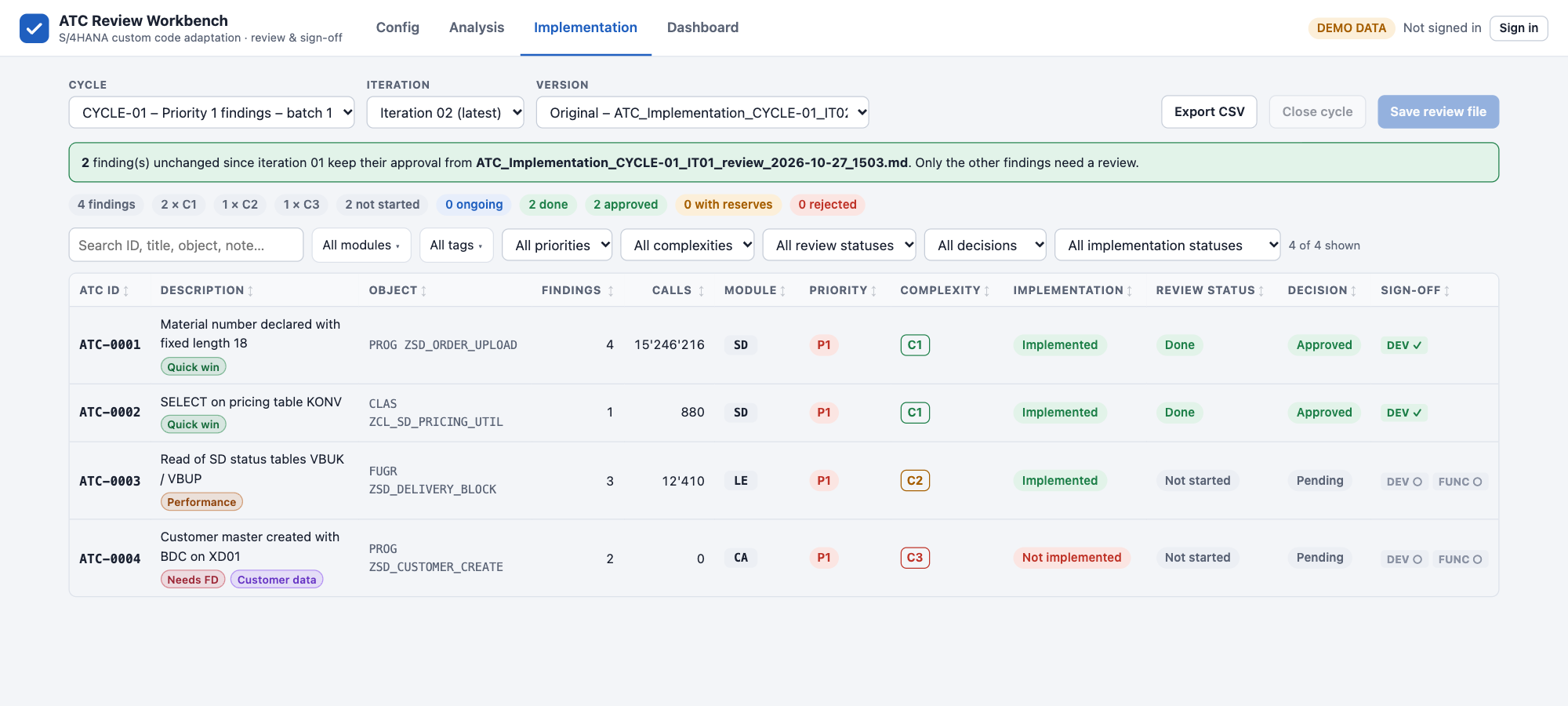
Cycle, Iteration and Version
| Field | Description |
|---|---|
| Cycle | The cycles that have implementation reports |
| Iteration | Iteration 01, Iteration 02 (latest)… Earlier iterations and their reviews stay available. |
| Version | The original report of the iteration, or one of its review files |
The Finding List
The list works like the Analysis list: same columns, chips, search, filters, sorting and Export CSV, plus:
| Column / filter | Values |
|---|---|
| Implementation | Implemented, Implemented – review needed or Not implemented |
The module comes from the analysis review and cannot be changed here. Tags can be added or removed in the detail view.
The Finding Detail
| Section | Content |
|---|---|
| Classification | Complexity, review status, priority, object, include, implementation status, Changed In This Iteration, transport, ATC recheck result |
| Module & tags | Module (from the analysis) and tags |
| Analysis review (latest) | The decisions and comments of the analysis review, for reference |
| Implementation description | What was changed and how it was tested |
| Issues found during implementation | Problems met during the change |
| Proposed solutions / workarounds | How the issues are handled |
| Review & sign-off | Signatures and the review log |
Sign-off Across Iterations
Signing works as on the Analysis page: choose a decision, comment unless Approved, Validate & sign, then Save review file. This writes ATC_Implementation_<CYCLE>_IT<nn>_review_<date>_<time>.md to the Review output folder.
From iteration 2, findings that were fully approved in the previous iteration and are marked Changed In This Iteration: No keep their signatures. They are shown as Carried over from …, and a green banner tells you how many findings keep their approval. You only review what changed or is still open.
Close the Cycle
Close cycle is enabled on the latest iteration when every finding is approved with full sign-off. It:
- writes
ATC_Cycle_<CYCLE>_CLOSED_<date>.mdto the Review output folder, - sets the cycle status to Closed in Config › Cycles,
- disables signing for the cycle, on both the Analysis and the Implementation pages.
The reports and review files of a closed cycle remain readable.