🚀 Overview
What is AI@CDS?
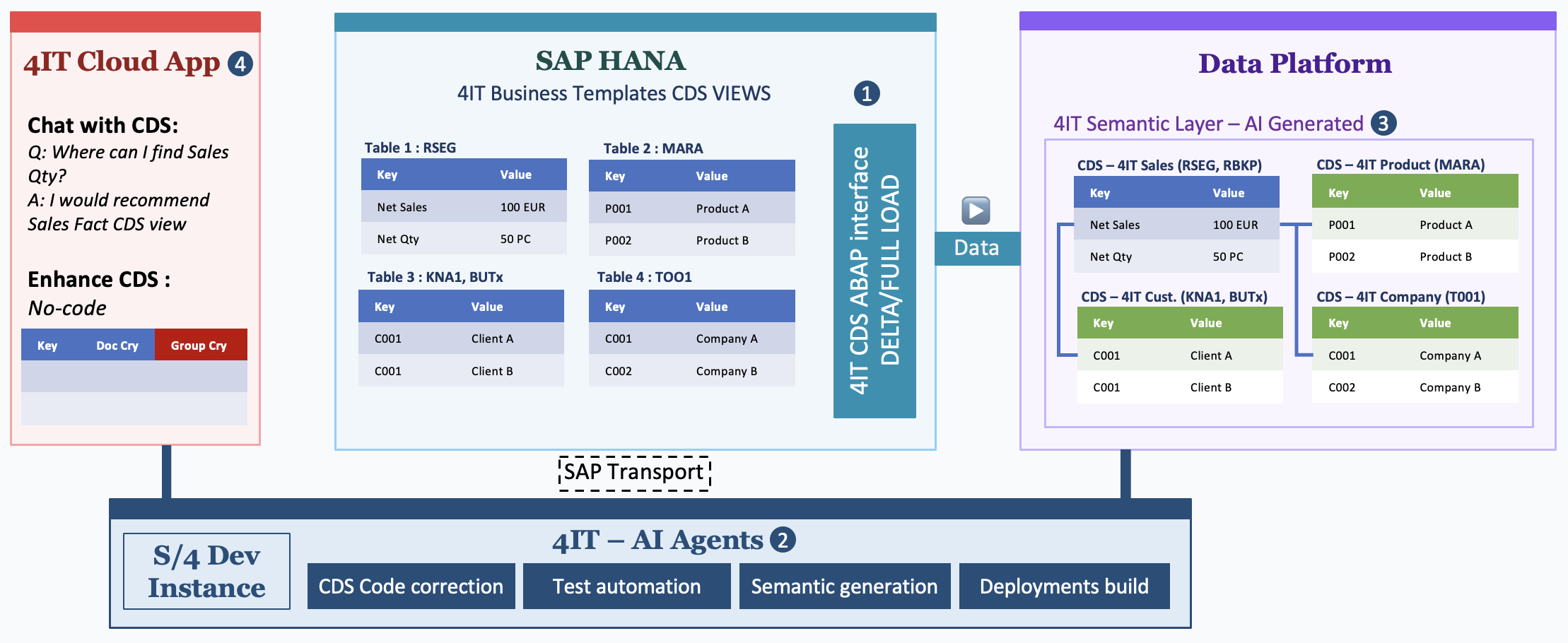
AI@CDS is a holistic, end-to-end approach to building your entire SAP data flow — from data extraction to semantic modelling and interactive exploration — fully empowered by the 4IT AI agentic model.
Rather than addressing individual pieces of the data puzzle, AI@CDS covers the complete journey: Full and Delta extracting SAP data through 4it Business Template CDS views, automatically generating bronze / silver / gold semantic layers in your target data platform, adapting and enhancing CDS views through natural language, and replicating any SAP table or custom interface — all with minimal manual effort and zero dependency on deep SAP technical expertise.
Azure Fabric Onthology is enabled, based on SAP customizing (SPRO) and transactions.
The solution is built around six integrated steps:
Step 1 — Data Load
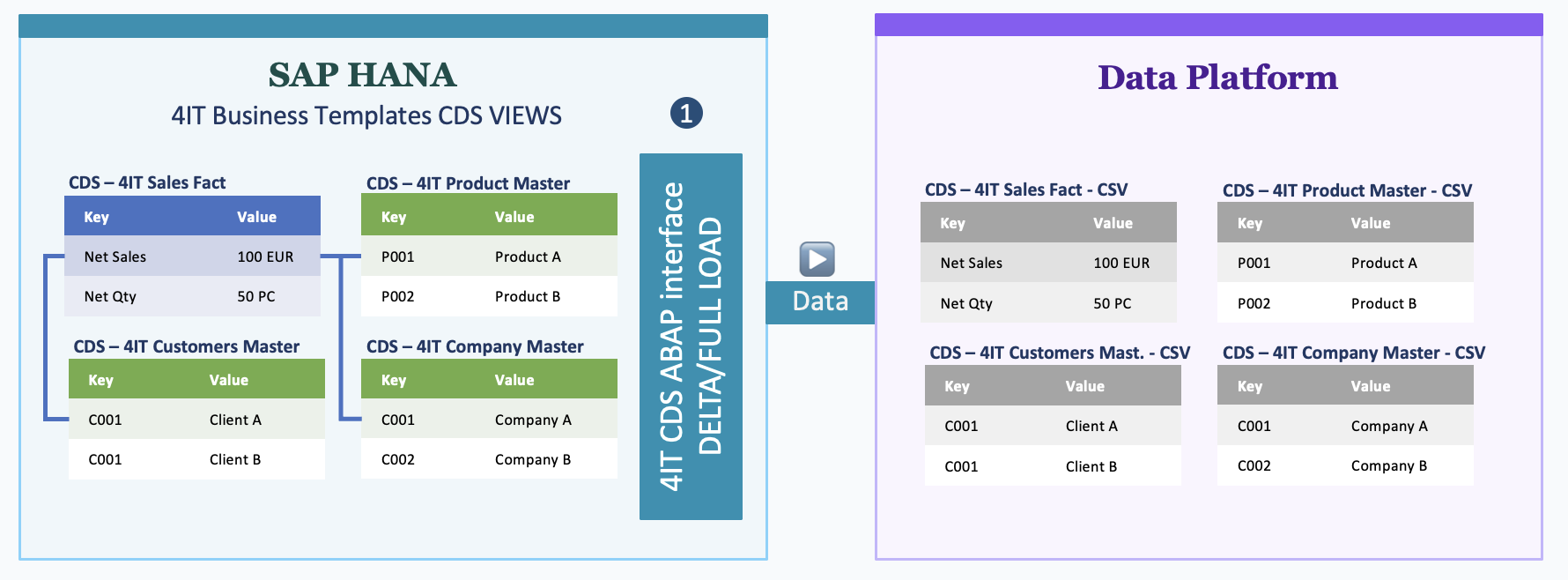
The journey starts with the 4IT Business Template CDS views and the 4IT CDS ABAP Interface.
- The CDS ABAP Interface reads any 4IT Business Template CDS view — or any custom CDS view — and generates a Full Load or Delta Load file automatically.
- The generated file is posted directly to your target Data Platform as a CSV or JSON file, ready for ingestion.
No middleware, no manual exports. A single interface handles all SAP data extraction, for any view, on any schedule.
Step 2 — Data Platform Modelling
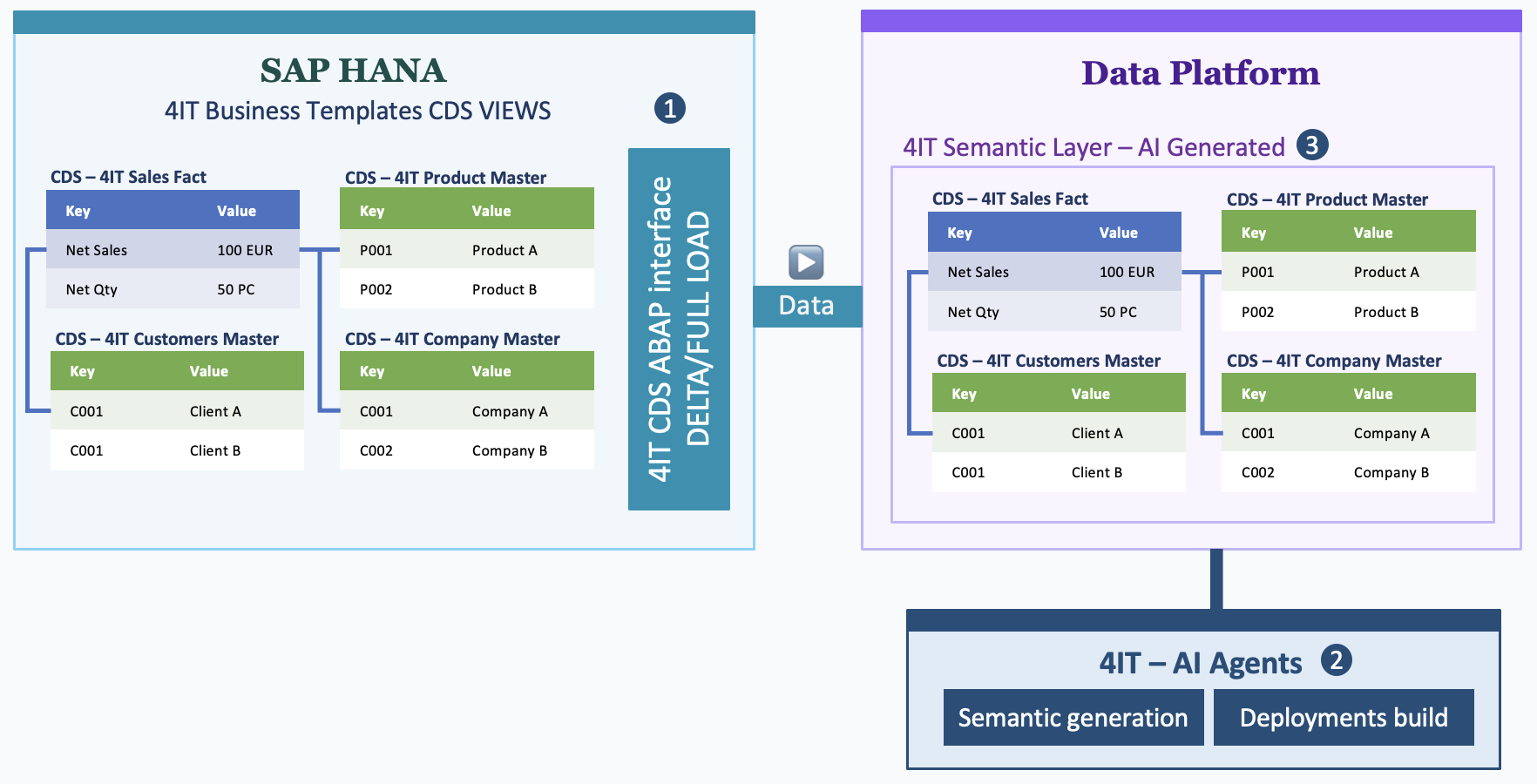
Once the data lands in the platform, the 4IT AI Agents take over.
- The AI Agents automatically remodel and generate all required semantic layers in the target Data Platform.
- They produce the full bronze → silver → gold pipeline: raw imported files, cleaned and conformed datasets, and business-ready analytical objects.
- BI and business users see Facts, Cubes, and Dimensions directly in their reporting tool — ready to use, without manual modelling effort.
The AI knows the structure of the 4IT Business Templates and uses that knowledge to generate semantically accurate, consistent models every time.
Step 3 — Cloud Application and CDS Adaptations
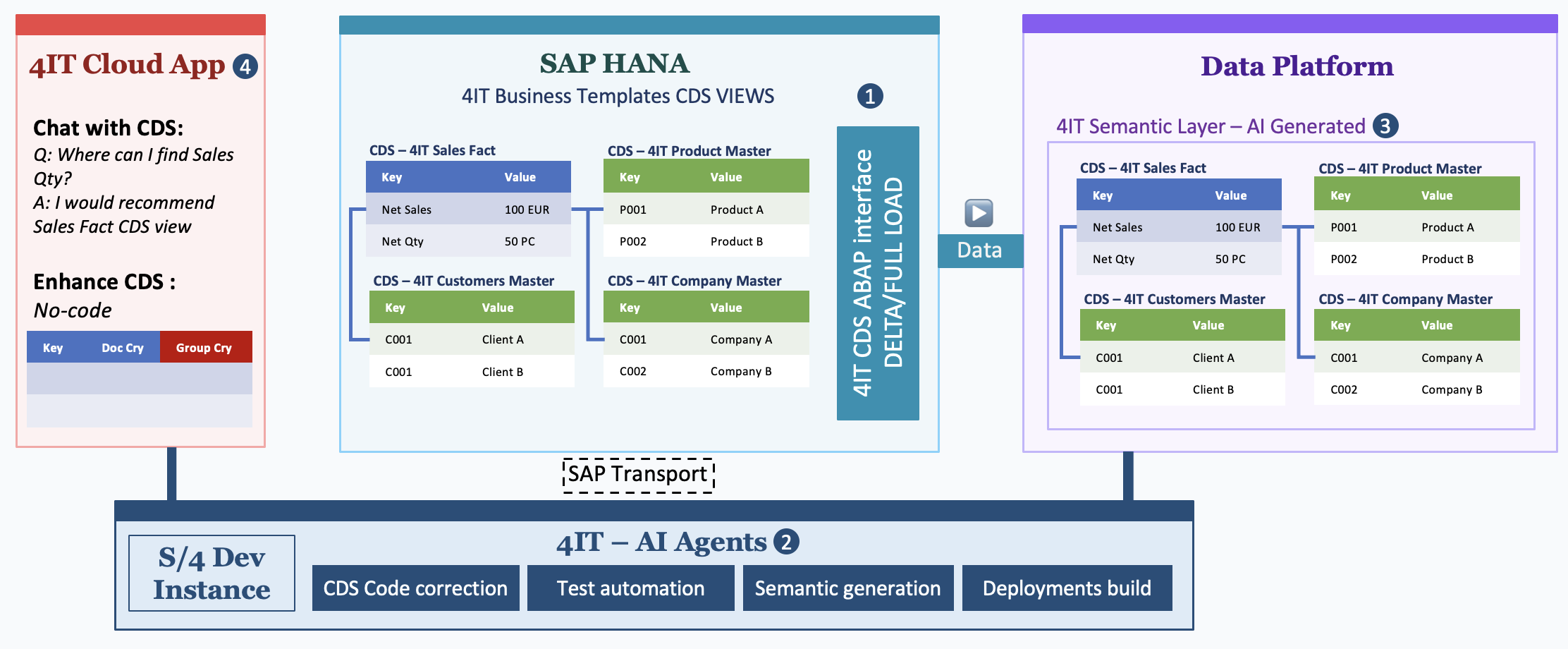
This step introduces the fourth component of the 4IT data solution: the AI@CDS Cloud Application.
- The cloud application enables BI and business users to browse and chat with their CDS views in plain language — no ABAP knowledge required.
- Users can enhance existing 4IT Business Template CDS views by describing the change in natural language; the AI generates and applies the required adaptation.
- Adapted CDS views and new 4IT Business Templates are delivered back to the SAP system as SAP Transport Requests, keeping the S/4HANA system in sync.
- All modifications are automatically replicated to the customer's Data Platform, keeping the semantic layer up to date.
Step 4 — Table Replication
The CDS ABAP Interface is not limited to CDS views — it also enables the replication of individual SAP tables.
- When a table is selected, a corresponding CDS view is generated on-the-fly at execution time. Because the view is not stored persistently in S/4HANA, no Transport Requests are required to replicate tables — giving full flexibility even in Production systems.
- Since the 4IT AI Agents understand the underlying CDS structures (such as the 4IT Business Templates), they can automatically create or enrich the corresponding semantic layer in the Data Platform based on the replicated table data.
Step 5 — SAP Datasphere Integration (Optional)
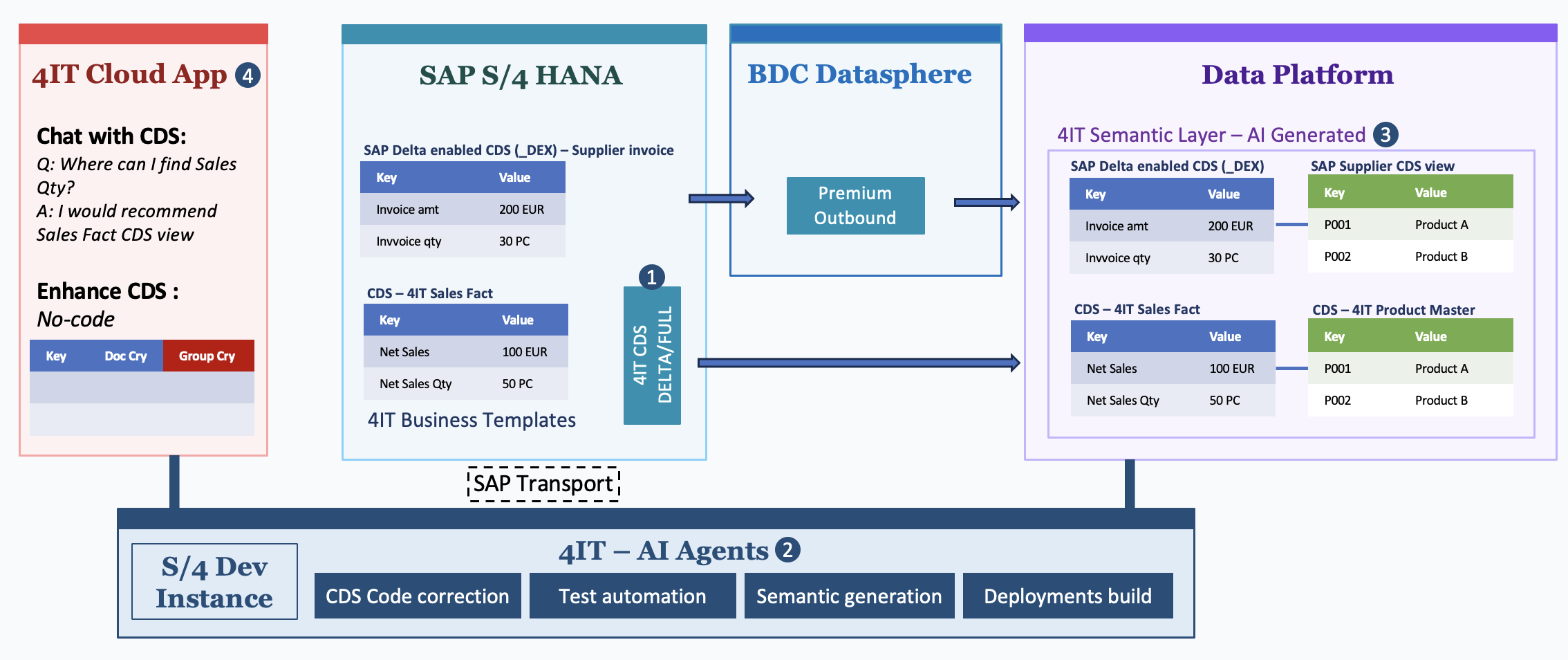
AI@CDS can be integrated with SAP Datasphere in a hybrid approach — this step is optional and only relevant for customers who already have or plan to use SAP Datasphere.
What SAP Datasphere brings natively:
- SAP Datasphere can perform the extraction of SAP standard CDS views that are enabled for delta extraction, providing a built-in replication path for standard SAP content.
What 4IT AI@CDS adds:
- The 4IT CDS Delta/Full interface in SAP S/4HANA can replicate any CDS view — including those with no delta extraction enabled — directly to your data platform.
- The 4IT AI Agents act as real accelerators to generate semantic layers for all types of CDS views, prepare the bronze, silver, gold layers, and populate the Azure Fabric Ontology.
Licensing advantage:
The Premium Outbound Integration service of SAP Datasphere operates on a volume-based licensing model, requiring at least a production and a non-production instance, each with volume-based block allocations. AI@CDS is volume-independent and does not require the provisioning of additional instances. It contributes to significant cost savings by complementing and completing existing Datasphere flows — without adding licensing complexity.
Step 6 — Legacy and Custom Interfaces
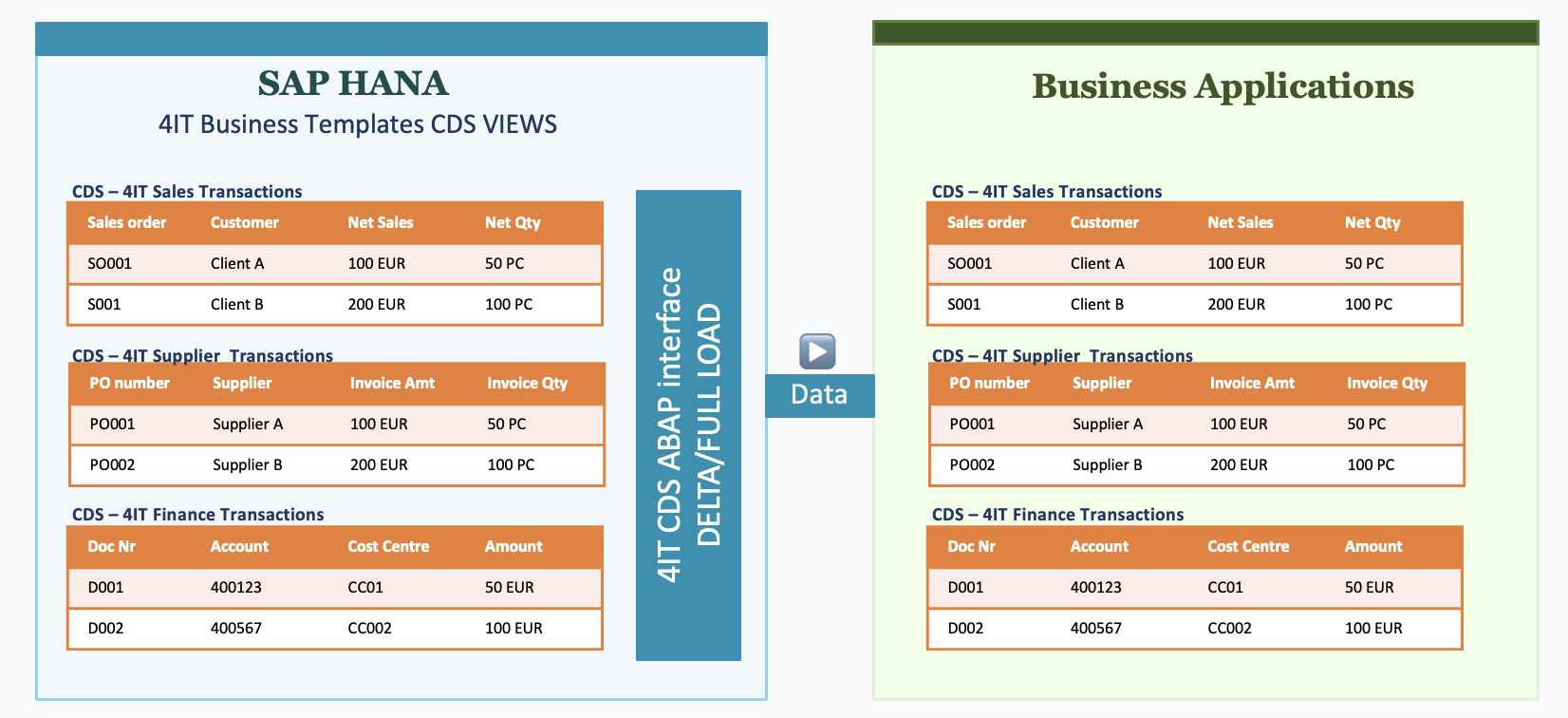
The CDS ABAP Interface can also operate as a generic outbound interface for any business application or external system.
- Custom CDS views can be created with the support of the AI agents and deployed to S/4HANA via Transport Requests, even for legacy scenarios.
- All interfaces support Full Load, Delta Load, and retry options out of the box.
- Monitoring of every interface run is managed directly within the 4IT CDS ABAP Interface in S/4HANA — no external monitoring tool required.
Try the Public Demo
A live demo of AI@CDS is publicly accessible at:
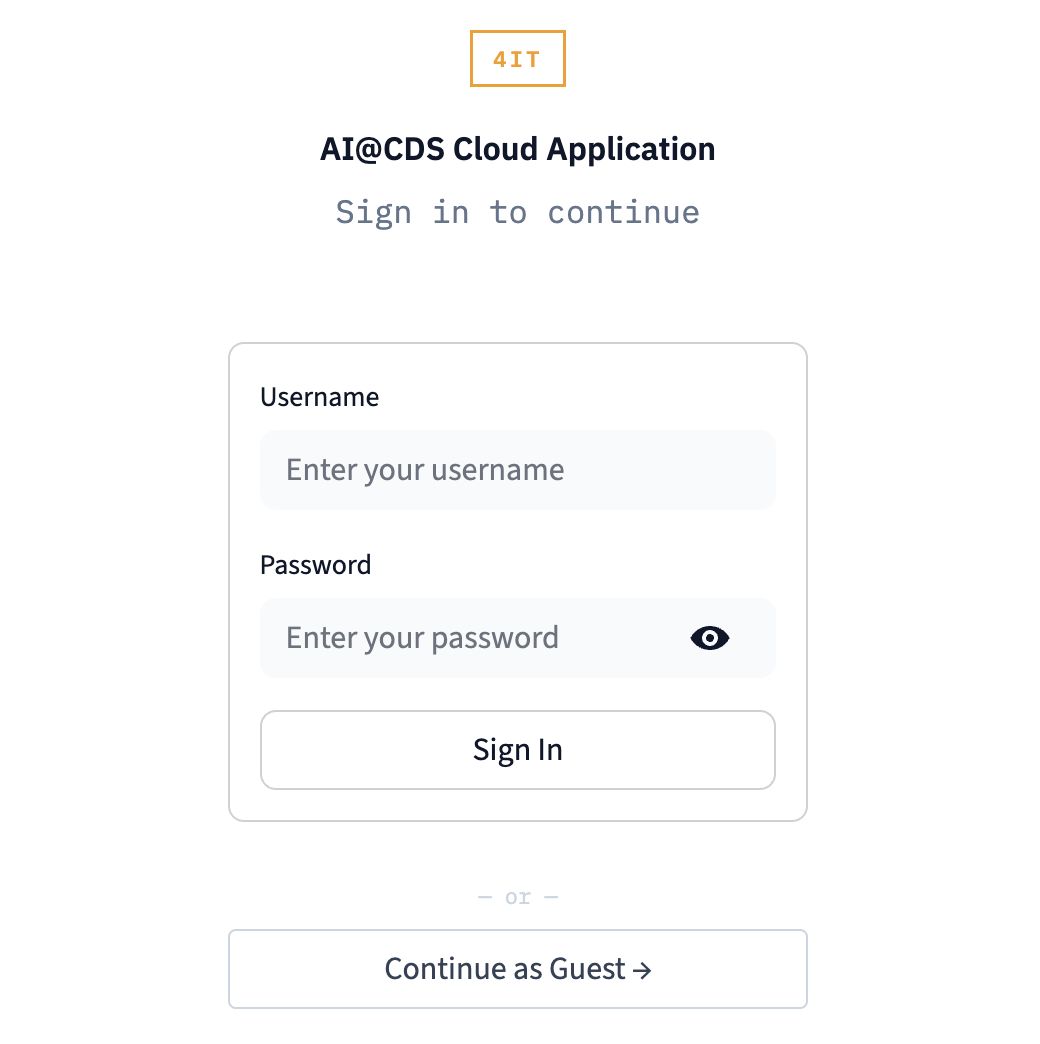
No account is required. On the login screen, select Continue as Guest to access the demo environment.
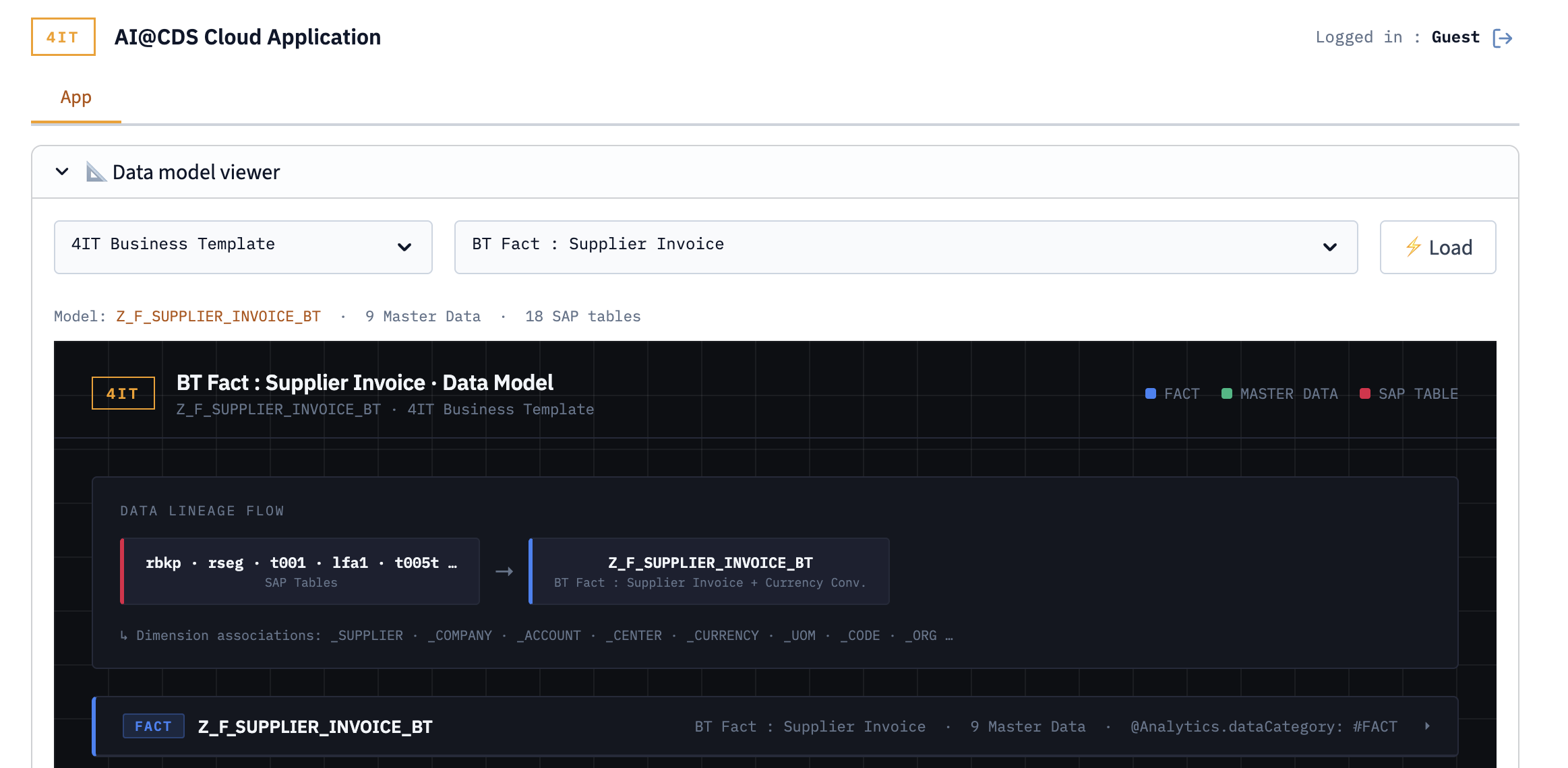
Displaying a Data Model in the Demo
Once logged in as a guest, the Data Model Viewer opens automatically on the App tab.
To display a CDS view:
- In the left-hand panel, browse or search for a CDS view by name
- Click on a view to load it into the diagram canvas
- The viewer renders the selected view with all its associated CDS associations and field-level details
- Click on any block or arrow in the diagram to navigate to a related view or inspect its data lineage
The screenshot below shows an example of a CDS view loaded in the demo: