Introducing AI@KB: Generate Up-to-Date SAP Documentation from Your Live System
Every SAP implementation produces documentation. Most of it is out of date within months. AI@KB takes a different approach: it reads your SAP system directly — configuration tables, SPRO settings, transactional data — and generates structured, data-validated documentation on demand.
The problem with SAP documentation
SAP projects generate a lot of paperwork. Business blueprints, configuration workbooks, test scripts, cutover plans. By the time a system goes live, much of that documentation is already stale. After go-live, it rarely keeps pace with the changes and enhancements that follow.
The result is a gap between what the documentation says and what the system actually does. That gap causes real problems: slower onboarding for new team members, uncertainty during audits, wasted time in workshops where consultants reconstruct configuration from scratch.
AI@KB closes that gap by making documentation a live output of the system, not a one-time artefact.
What AI@KB does
AI@KB connects to your SAP ERP system and extracts three categories of information:
- SPRO configuration — customising tables, condition types, pricing procedures, document type assignments, output determination, and more
- Transactional data — counts, volumes, and representative document examples that show which configuration is actually used in practice
- Process flows — end-to-end business process definitions that map how documents flow through the system from initiation to FI posting
From this, the App tab provides three tools.
Process Viewer — see how your system flows
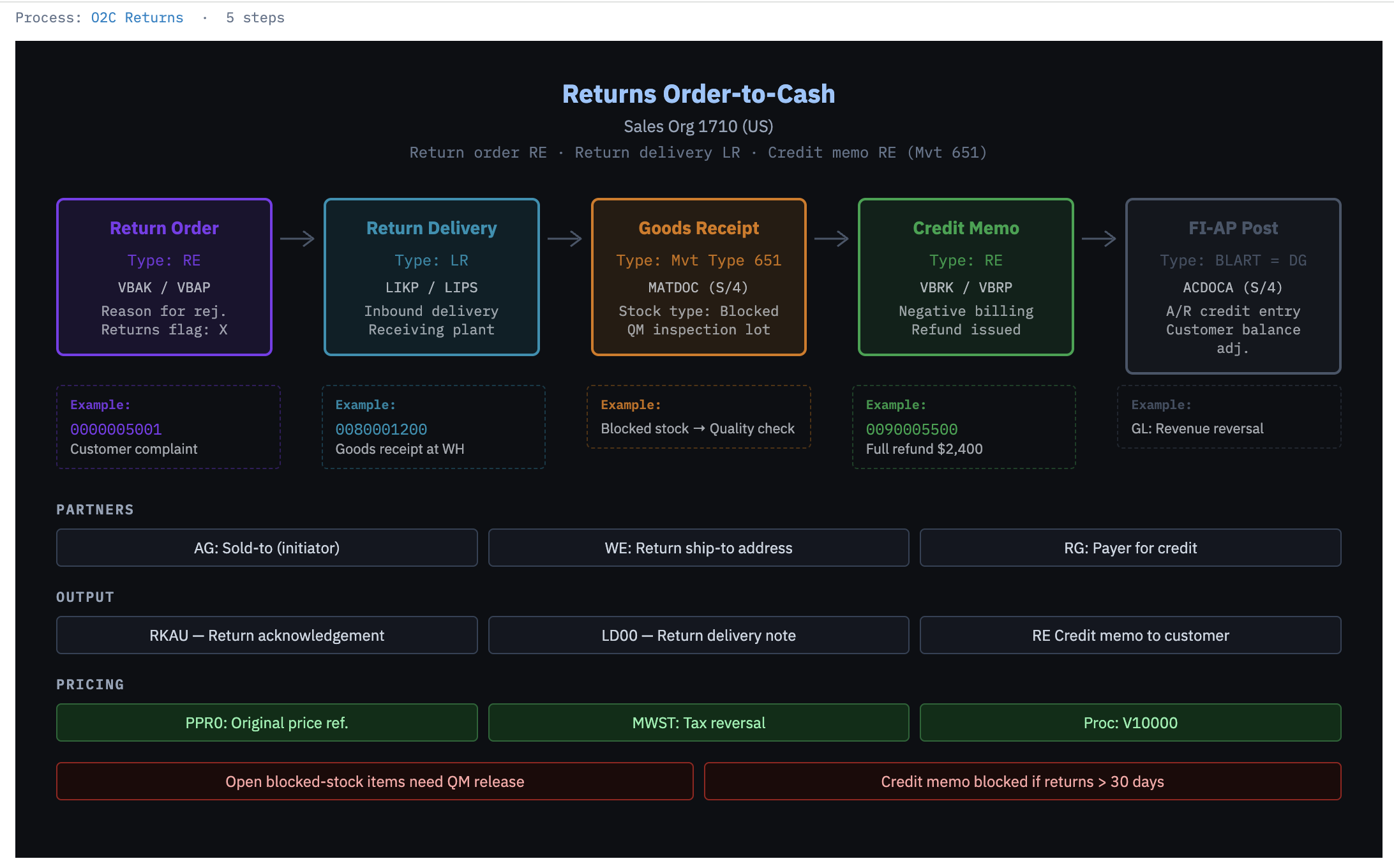
The Process Viewer renders any SAP business process as a colour-coded flow diagram. Select the system, module, and process from three dropdowns — for example, Sales & Distribution → O2C Returns — and click Load.
The diagram shows each step in the document chain, with real document numbers, movement types, partner functions, and output types taken from the extracted data. Not a template. Not a reference model. Your system, as it runs today.
Chat — ask questions, get sourced answers
The Chat panel understands your system's configuration and extracted data. Ask plain-language questions and receive structured answers with direct references to the source files they came from.
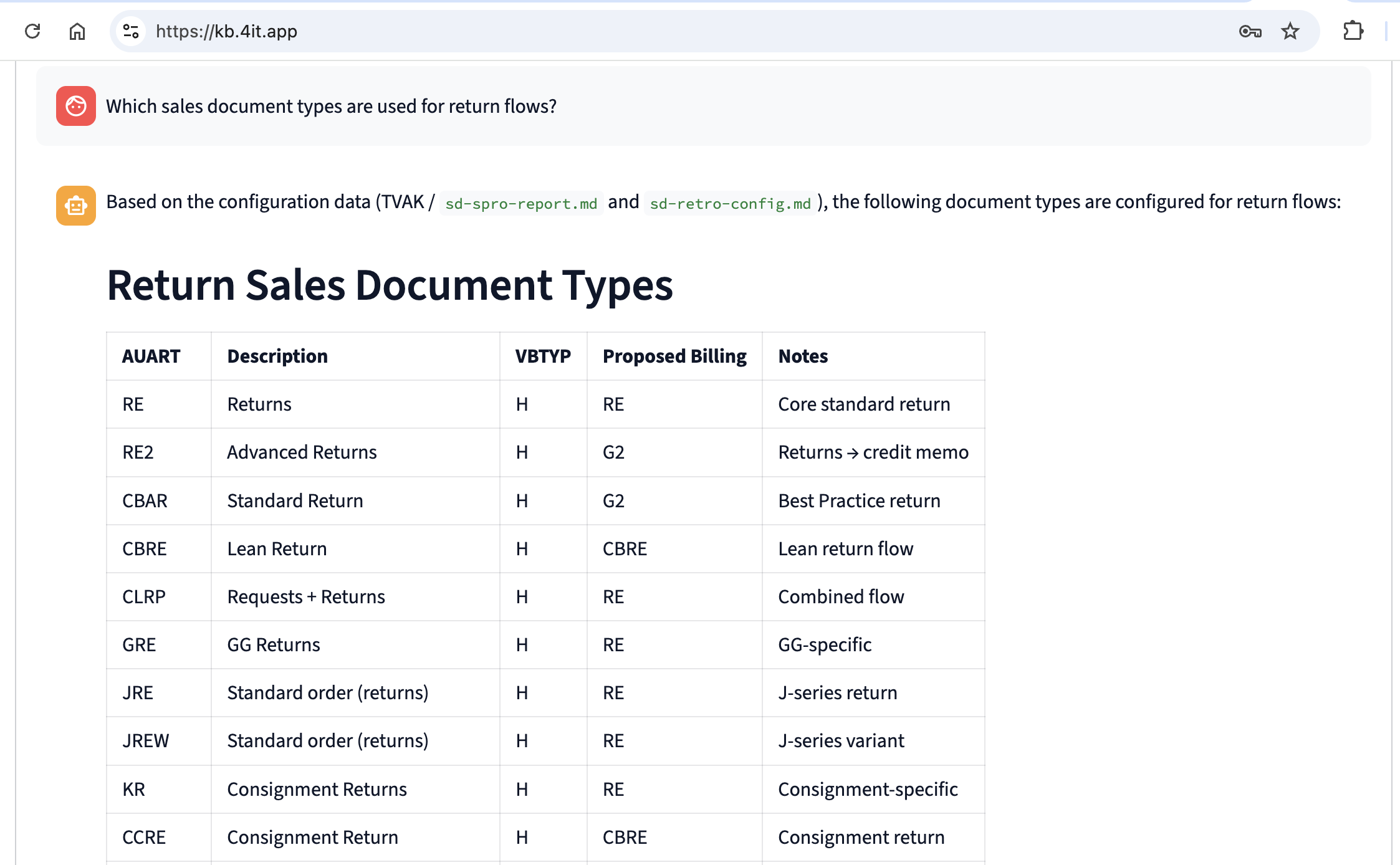
A question like "Which sales document types are used for return flows?" returns a formatted table of document types with VBTYP categories, proposed billing types, and notes — all sourced from the extracted SPRO configuration and cross-validated against transactional evidence.
Every answer includes a reference to the specific configuration file or data extract it came from, making findings fully traceable and auditable.
Documentation Generation — a complete system knowledge base, on demand
The Documentation Generation panel produces a structured, professional-grade document covering the configuration and data landscape of a chosen module. Select the sections you want — configuration, existing data, integration flows, output management — and click ▶ Start generation. The document is prepared and delivered by email.
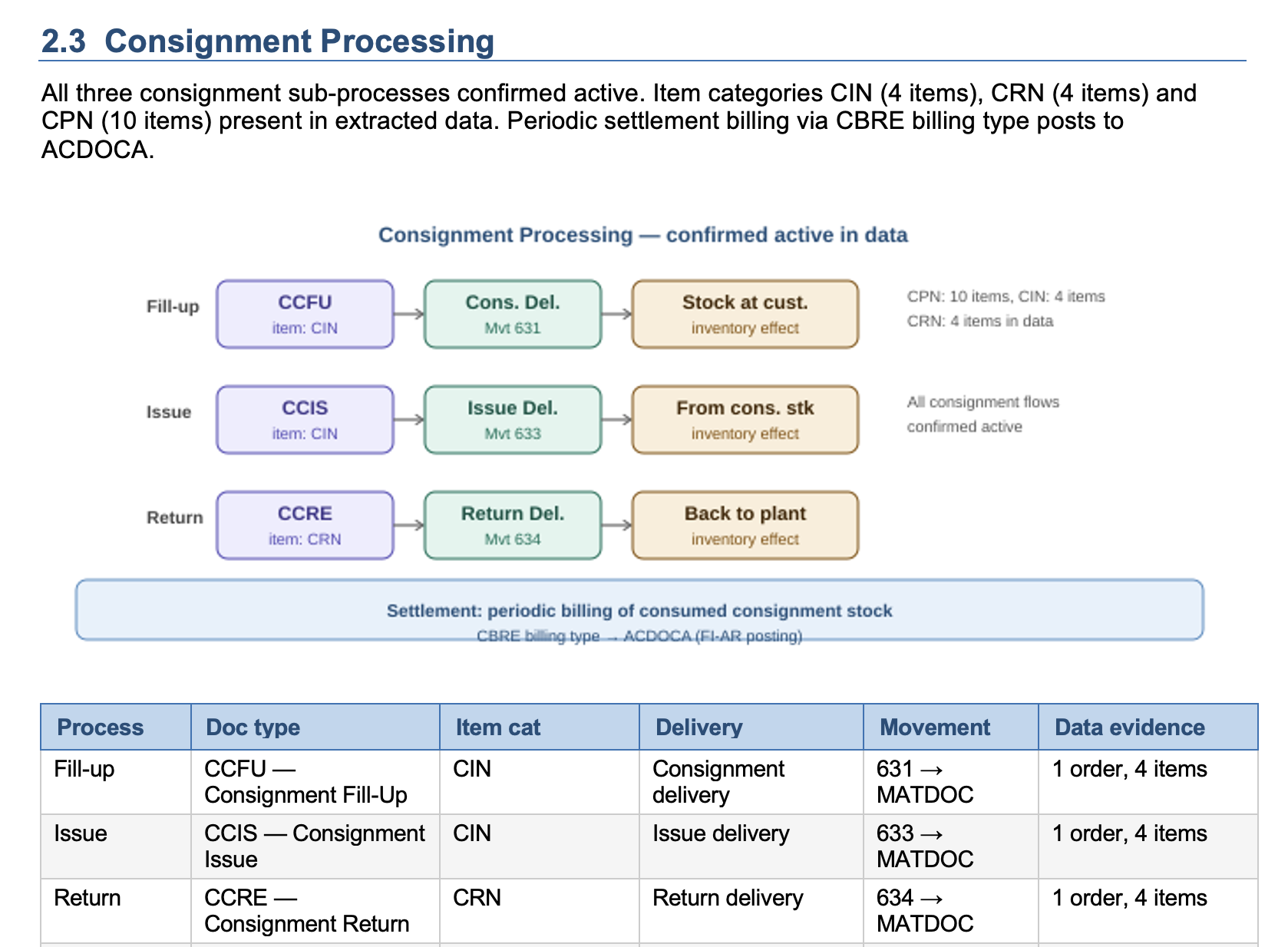
The generated document is structured like a professional configuration review:
- Cover page with system metadata (client, version, extraction date, primary org unit)
- Key findings at a glance — transaction volumes, unique entity counts, financial totals
- Process-level sections — Standard O2C, Returns, Free of Charge, Consignment, and other configured variants, each with a flow diagram and data evidence
- Integration architecture — IDoc/ALE, NAST, and EWM/WM layers with actual counts and error rates
- Gaps and recommended follow-up — configuration objects with no transactional evidence, prioritised for review
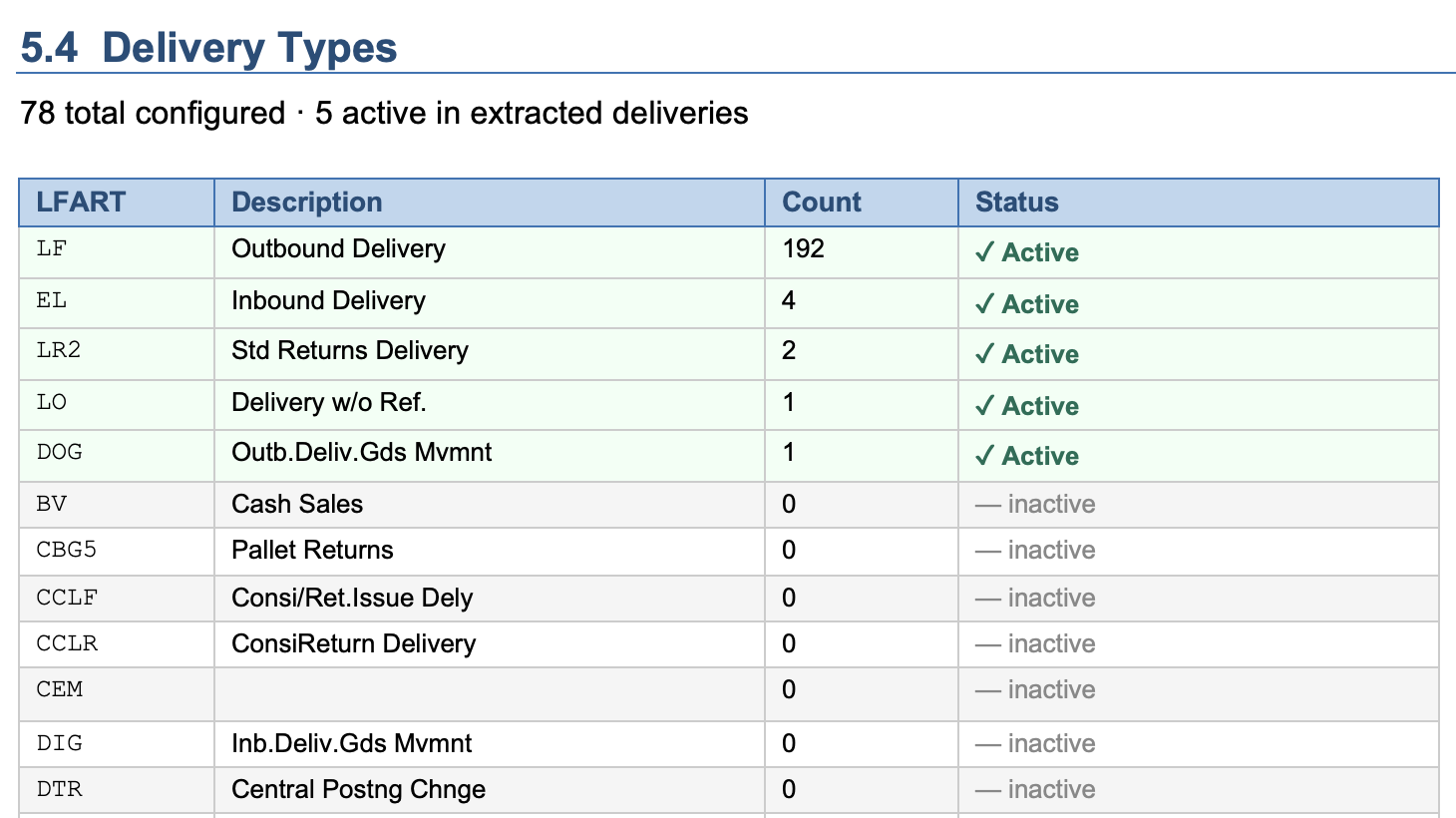
- Full configuration tables — every relevant object (delivery types, billing types, item categories, pricing conditions) with an Active flag derived from transactional data
The Active flag is the feature teams find most immediately useful: it tells you at a glance which of the 78 configured delivery types are actually used in practice (5, in the example above) and which have never appeared in a real transaction.
Who is AI@KB for?
AI@KB is designed for three audiences:
- Implementation consultants running fit-gap workshops or preparing for an S/4HANA migration — AI@KB gives them a current-state baseline in hours, not days
- BI and data teams who need to understand the source system before building data models and reports
- Internal teams managing a live SAP system who want auditable, up-to-date documentation without maintaining it manually
Available now
AI@KB is live at kb.4it.app. Full documentation for the App tab is available in the AI@KB documentation.