📄 Functional Documentation
The following screenshots illustrate the structure and content of a generated AI@KB Functional Documentation document. This example covers the SAP S/4HANA Sales & Distribution module for a customer system running S/4HANA 2023 FPS03.
The document is automatically produced from the data extracted by AI@KB — combining SPRO configuration settings with evidence from real transactional data to deliver a professional-grade, data-validated reference document.
Cover Page
The document opens with a structured cover page identifying the system, client, extraction date, primary organisational unit, and the method used to produce the documentation.
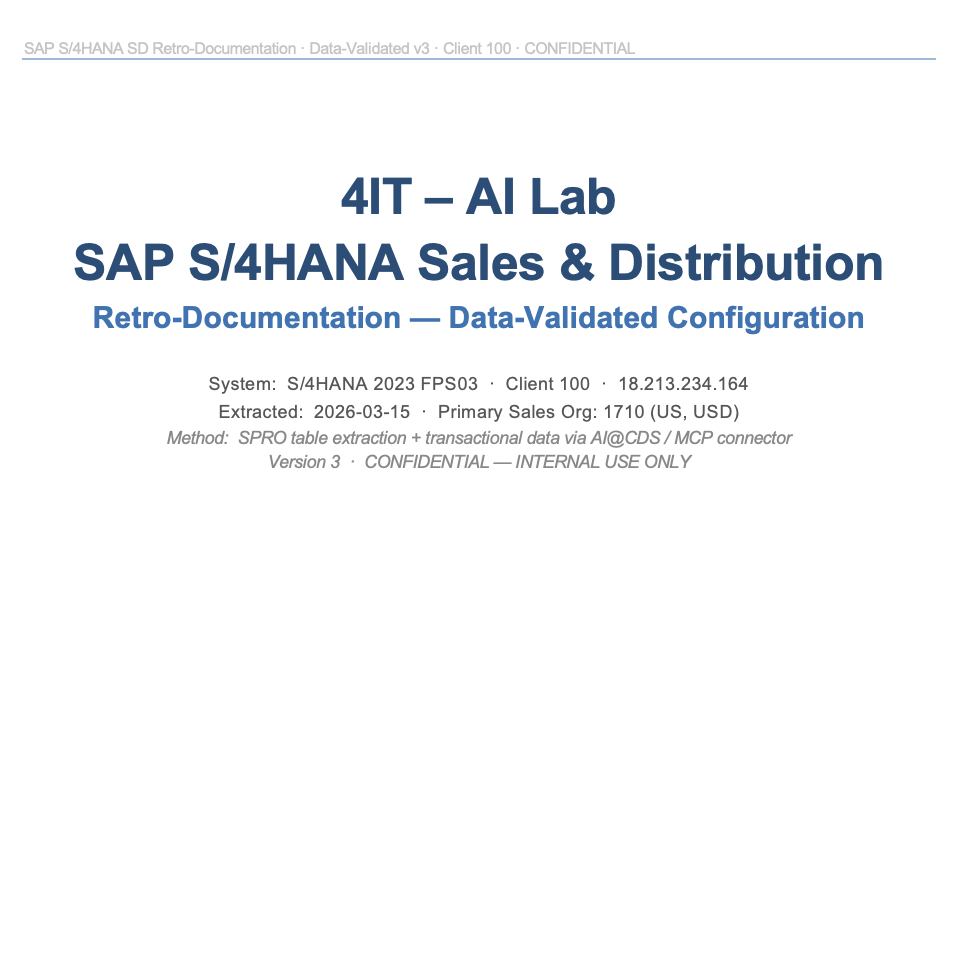
The cover page records the extraction method: SPRO table extraction + transactional data via AI@CDS / MCP connector. This ensures full auditability of how the configuration was captured and when.
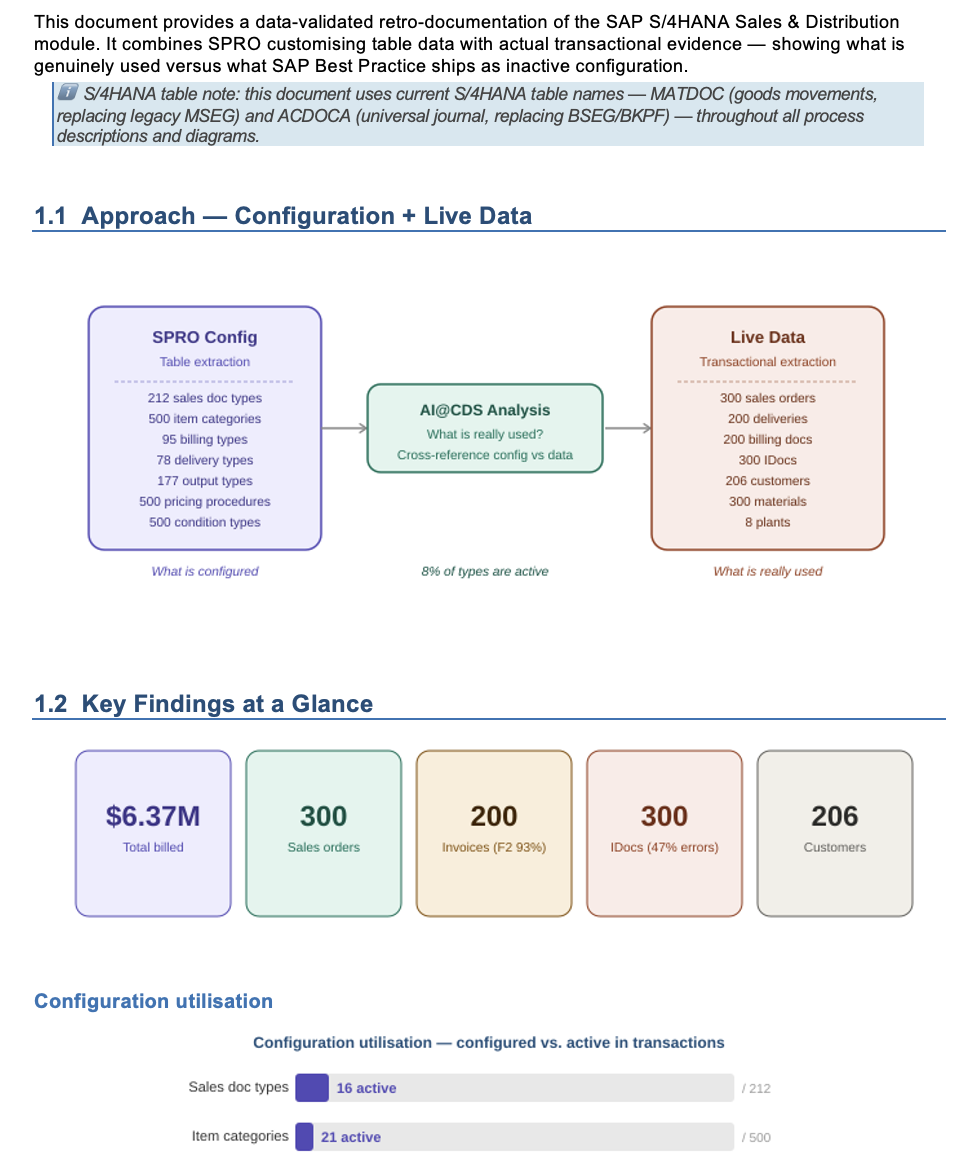
Approach and Key Findings
The opening section explains the documentation methodology — combining SPRO configuration data with live transactional evidence — and presents a summary of key findings at a glance: transaction volumes, unique customers, and active document counts drawn directly from the system.
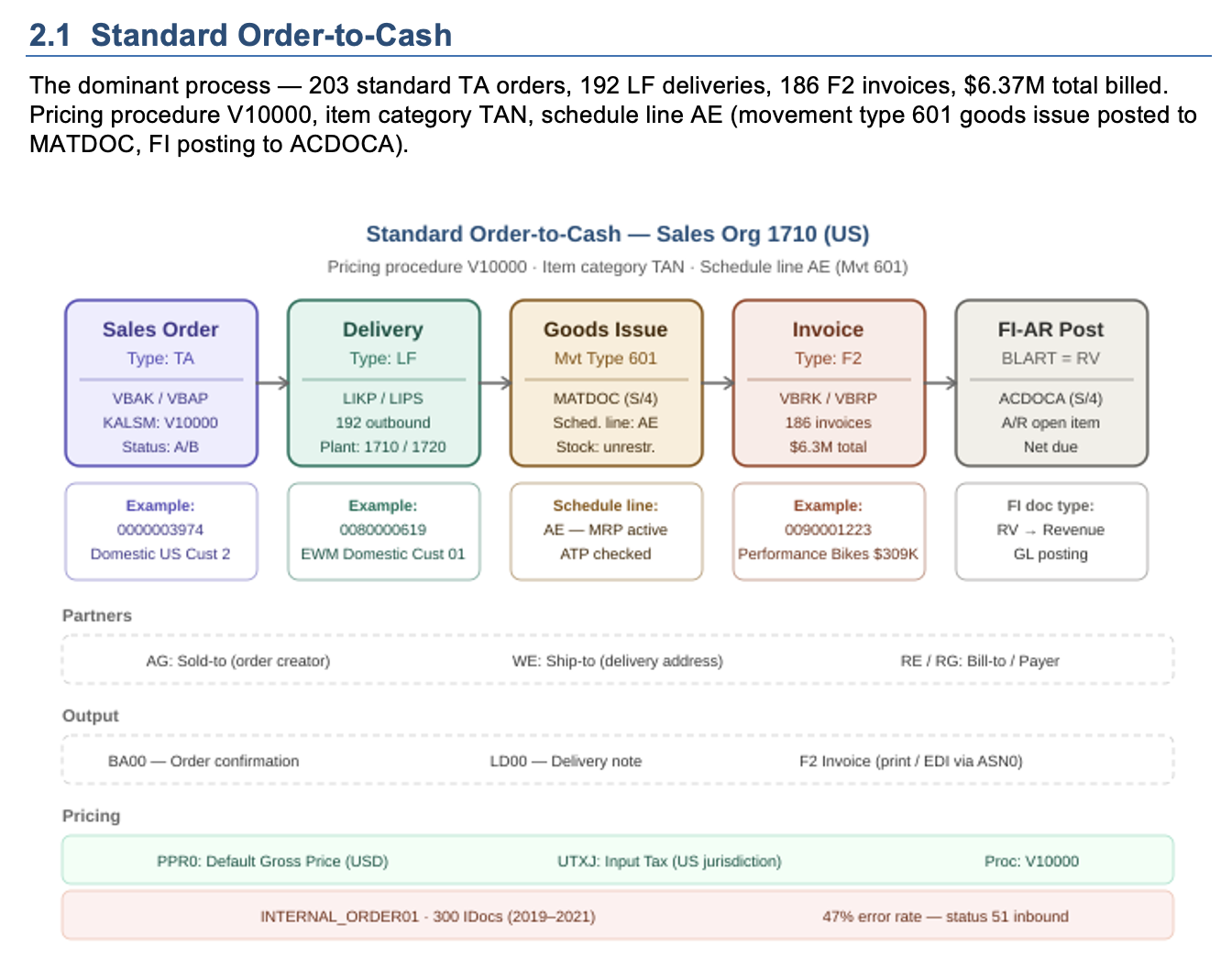
Standard Order-to-Cash Process
The document includes process-specific sections that combine the configured document flow with real transactional examples. The Standard Order-to-Cash section shows the complete document chain with actual document numbers, movement types, partner functions, and output types observed in the extracted data.
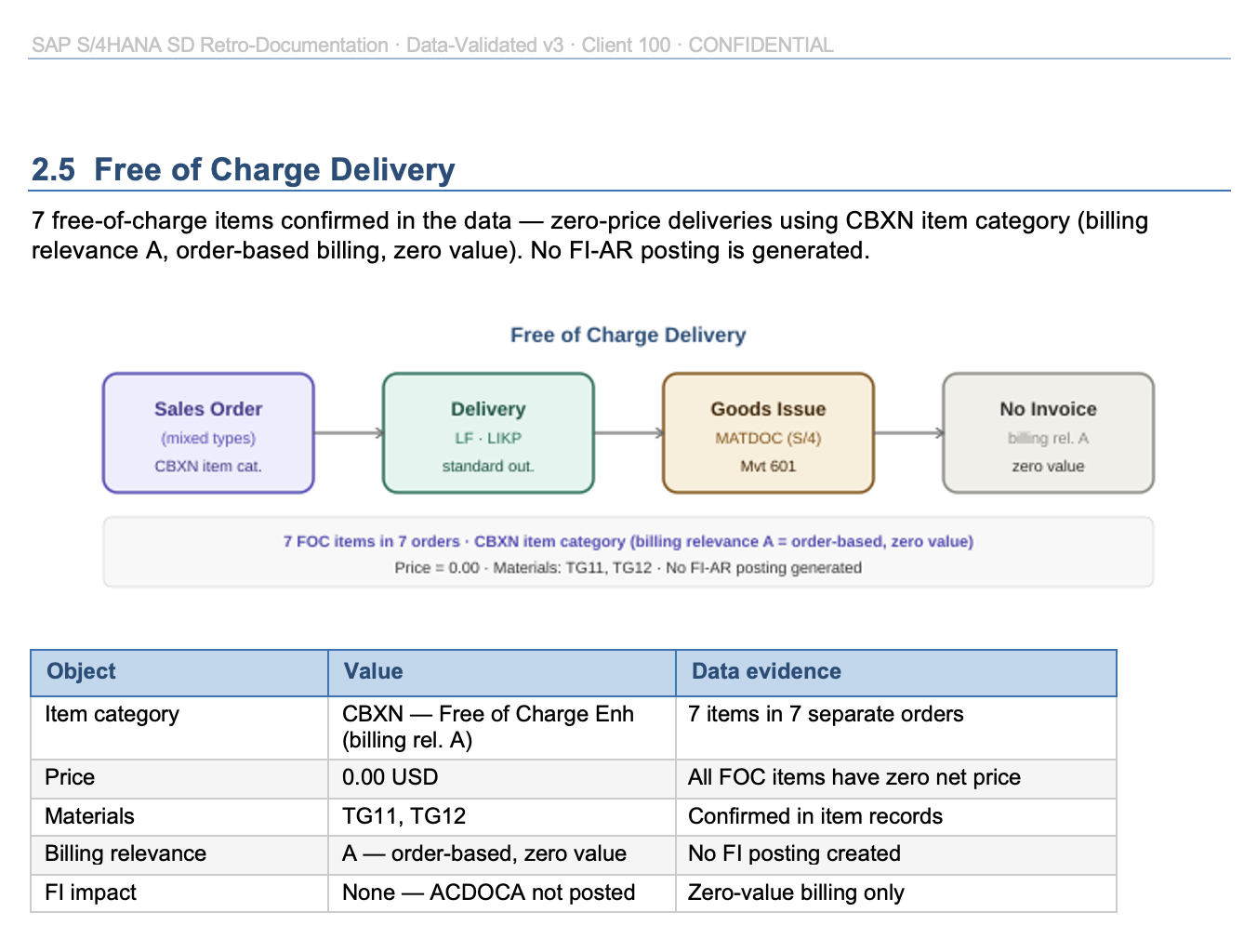
Free of Charge Delivery
Process variants such as Free of Charge Delivery are documented automatically, with the item category configuration, billing relevance settings, and a data table showing how many items and orders were processed under this variant.
Integration Patterns and Output Configuration
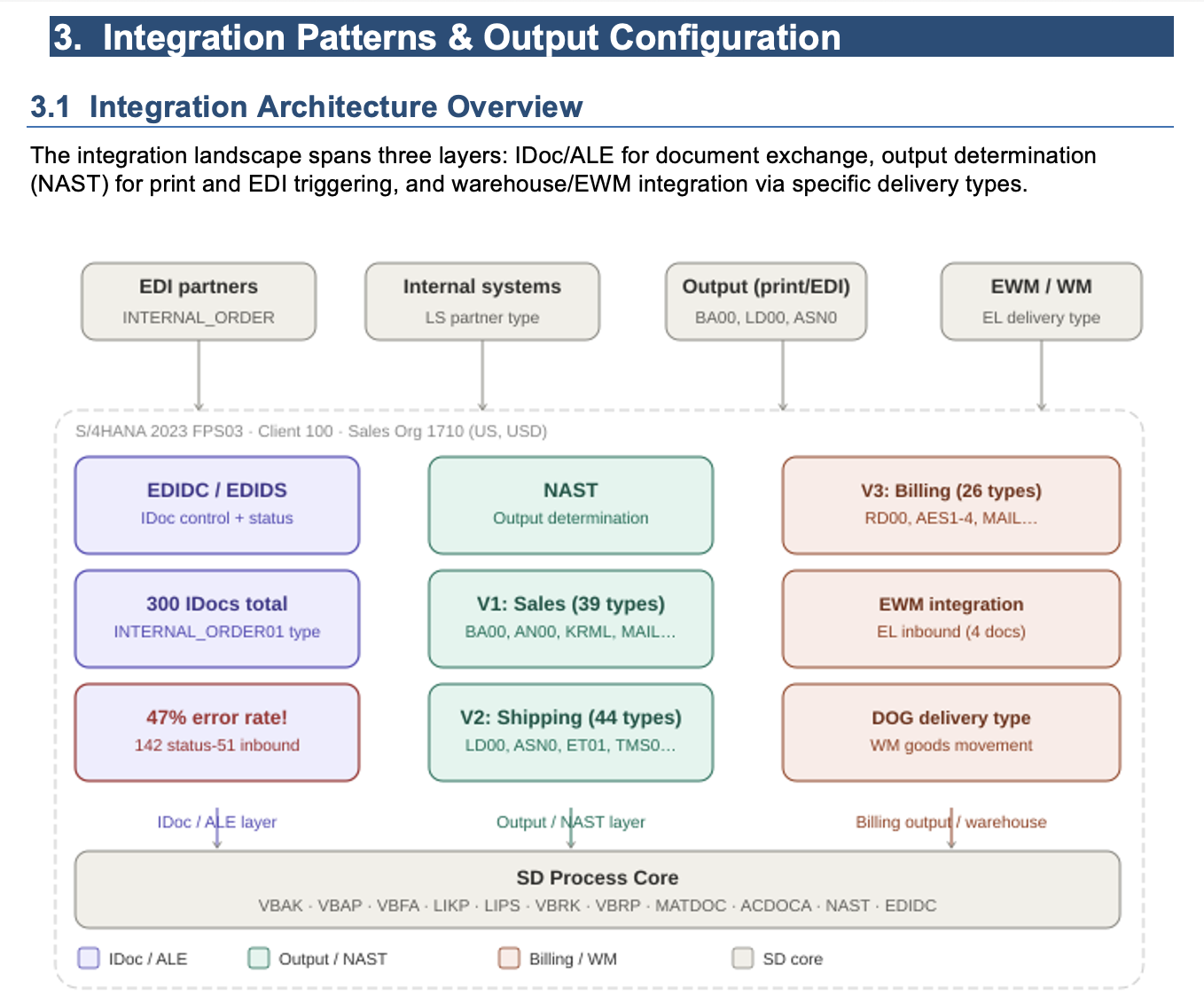
The Integration section maps the three layers of the output and integration landscape — IDoc/ALE for document exchange, NAST for output determination, and EWM/WM for warehouse integration — together with the actual counts and error rates observed in the extracted data.
Gaps and Recommended Follow-up
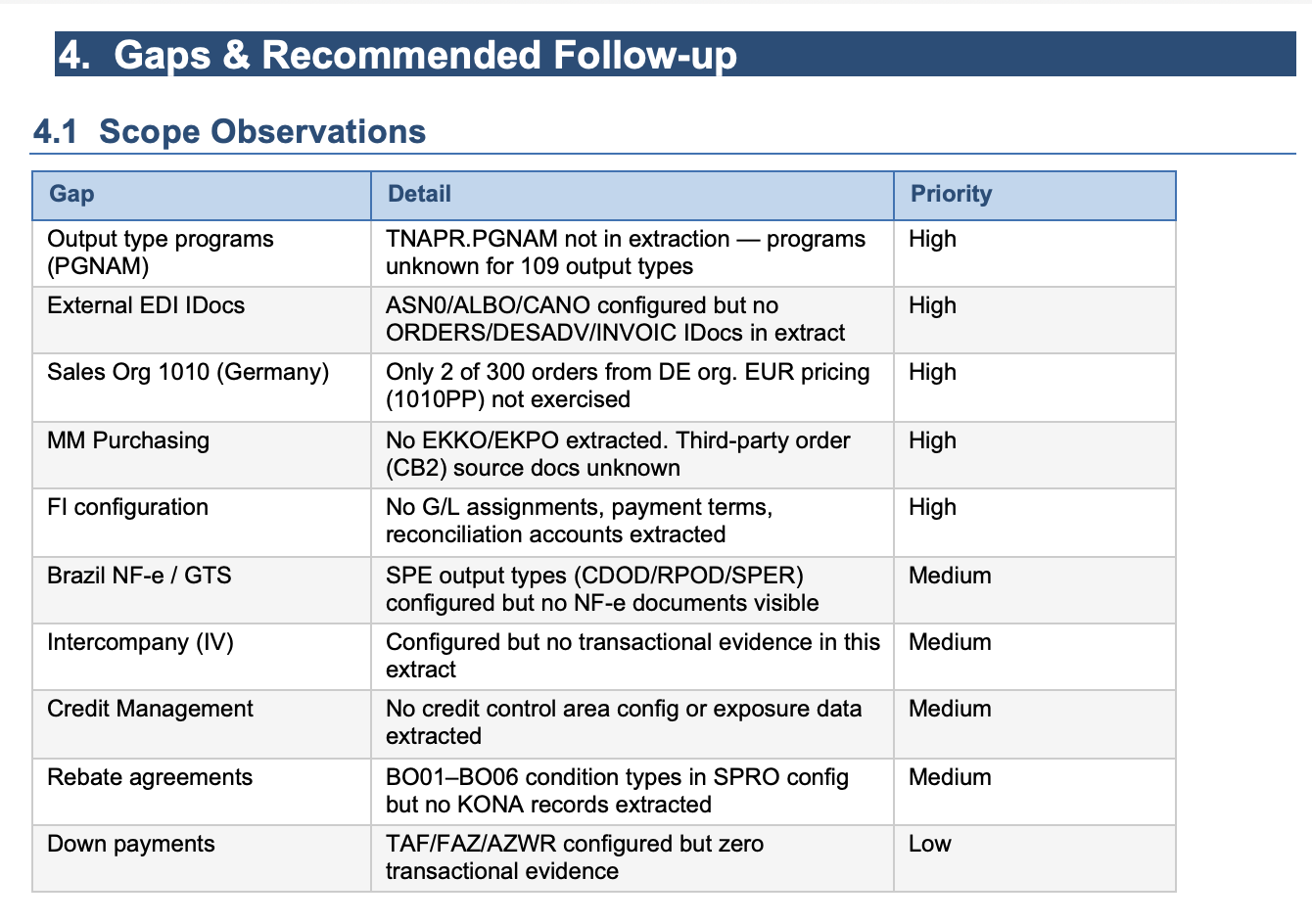
A dedicated Gaps section identifies areas where configuration was present in SPRO but no corresponding transactional evidence was found, or where configuration objects were incomplete. Each gap is assigned a priority level (High / Medium / Low) to guide the follow-up review.
Configuration Detail Tables
The document concludes with detailed configuration tables for all relevant objects — delivery types, billing types, item categories, pricing conditions, and more. Each table shows the full configured set alongside an Active flag derived from transactional data, making it immediately clear which objects are live and which are unused.
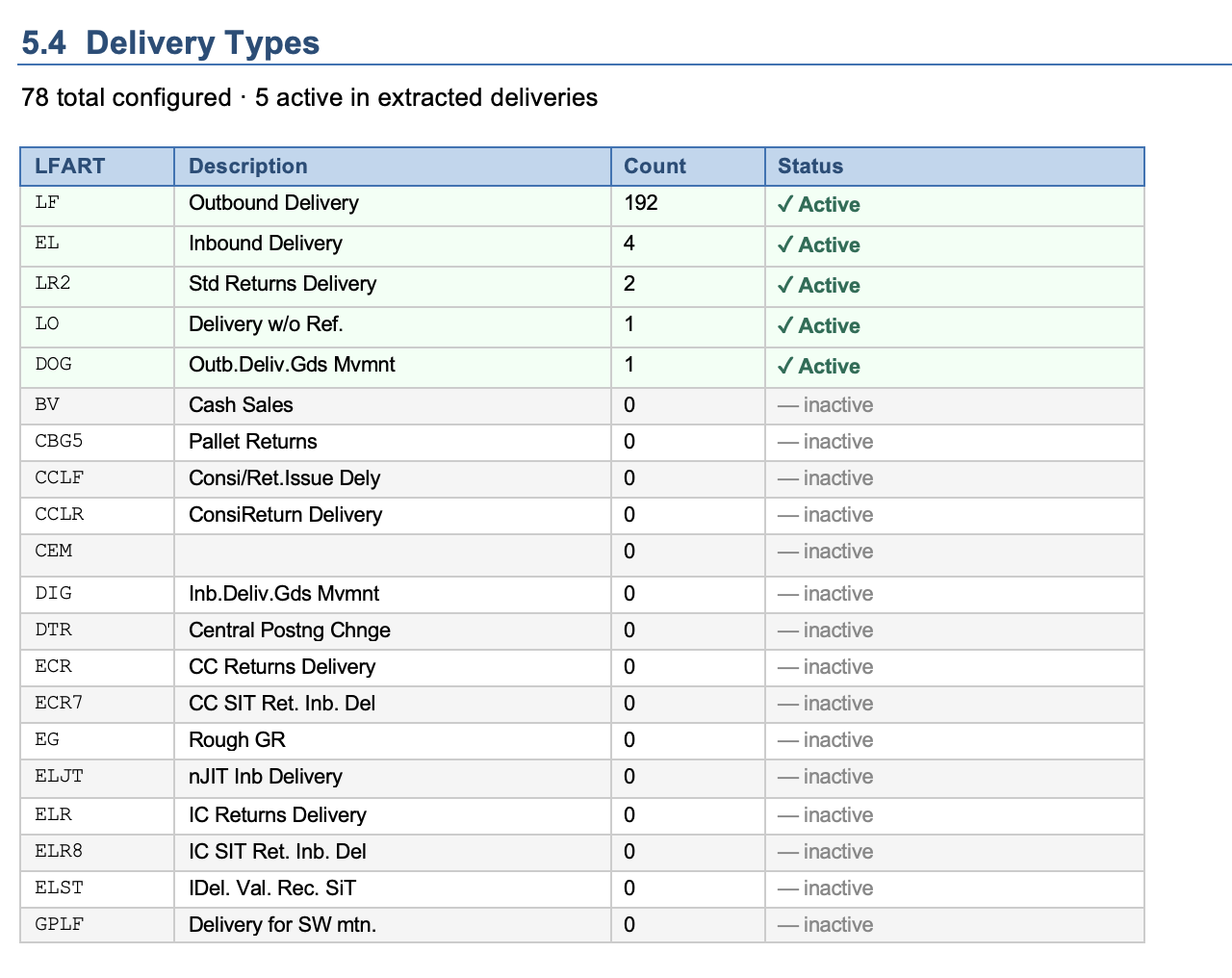
The Active status column is one of the most powerful features of AI@KB documentation. It distinguishes between what is configured in SPRO and what is actually used in practice — giving project teams a clear view of the effective system footprint without manual cross-referencing.