🧠 Ontology and AI
What is Ontology?
An ontology turns data into understanding — mapping not just what your business knows, but what it means. It provides explanations and insights that go far beyond traditional reports and dashboards, enabling AI to reason about your business processes, configurations, and data relationships.
To be pragmatic, let us walk through how it works in practice — step by step.
Step 1 — Starting with a Real Business Question
Let's start with a simple example.
A business user needs to understand some insights that sit behind a sales dashboard. They are asking a question for which there are no pre-configured cubes, dimensions, or reports — a question that would traditionally require a developer to build a new report or extract.
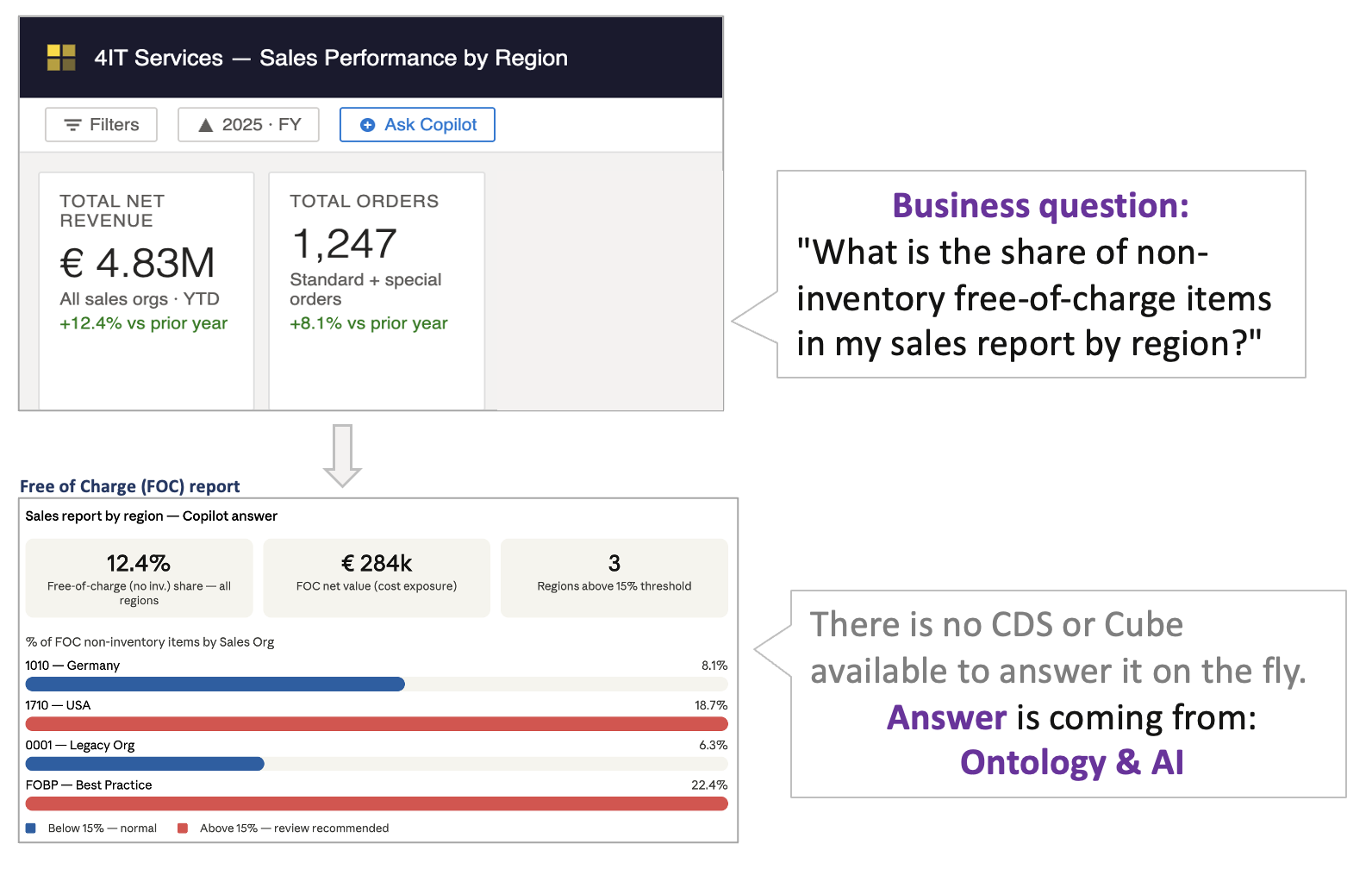
The magic is operated here by the combination of Microsoft Fabric Ontology and AI. Instead of waiting for a new report, the AI assistant can reason over the ontology to find the answer — in real time.
Step 2 — How Ontology Works with AI@CDS
But how does the ontology know enough to answer the question?
In our approach, we complete the SAP S/4HANA data flow to your data platform with your own business rules coming directly from your backend system. We primarily use configuration elements from SPRO (SAP customising), but this can be extended with additional elements — such as custom ABAP code for domain-specific logic like sales order BADIs, user exits, and enhancement spots.
All configuration data is extracted using standard SAP interfaces — CDS views, BAPIs, or RFC calls — and does not require direct database access, ensuring full compatibility with SAP licensing terms.
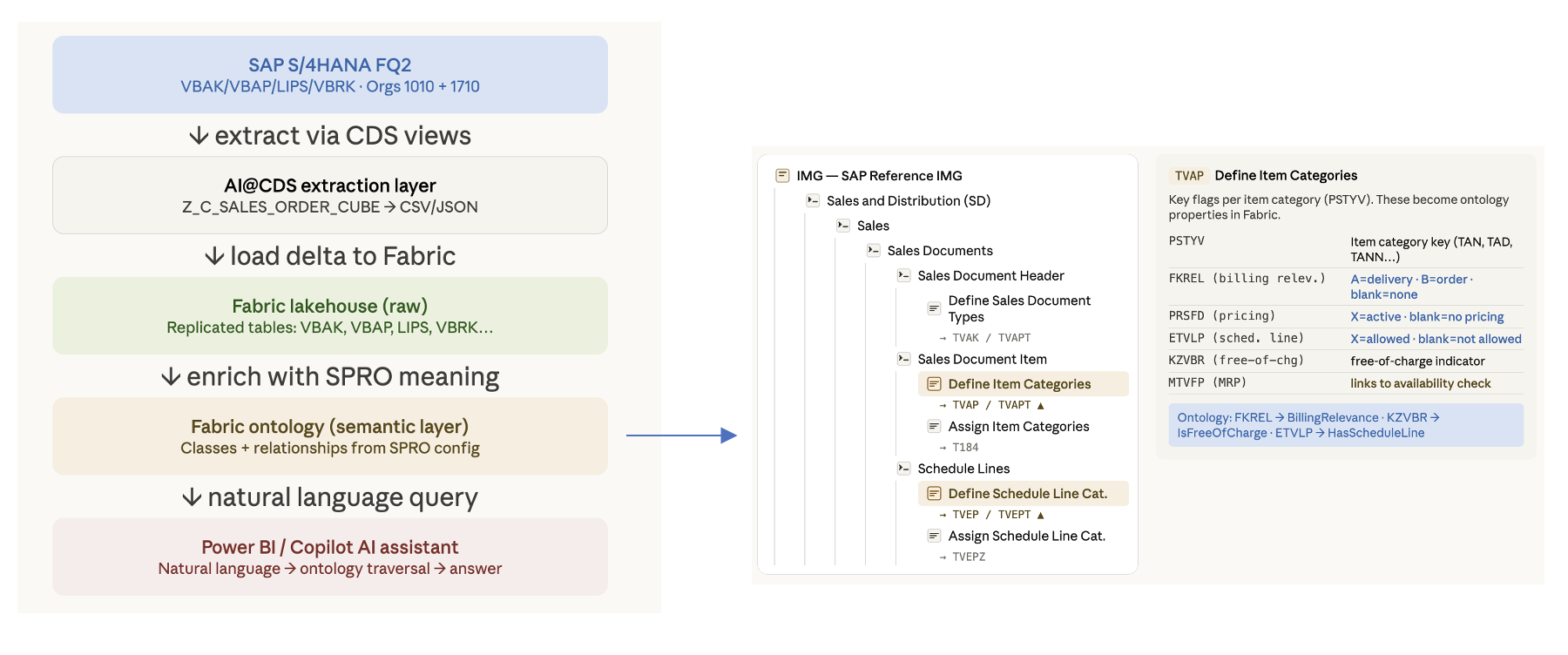
In this illustration, we are extracting SD SPRO tables and mapping their values to Ontology attributes — for example, mapping the item category configuration to an attribute like BillingRelevance. The ontology now understands not just the raw data, but the business meaning encoded in the SAP configuration.
The AI@CDS extraction pipeline is structured in three layers — Bronze (raw extraction), Silver (cleaned and conformed), and Gold (business-ready semantic model) — all populated automatically by the 4IT AI Agents from your SAP S/4HANA system.
No manual mapping is required — the AI Agents read your CDS views and SPRO configuration and generate the ontology layer automatically.
Step 3 — The Functional Reasoning Behind
Now that the ontology knows your SAP configuration, it can provide the required knowledge for the AI assistant to reason functionally about your business processes.
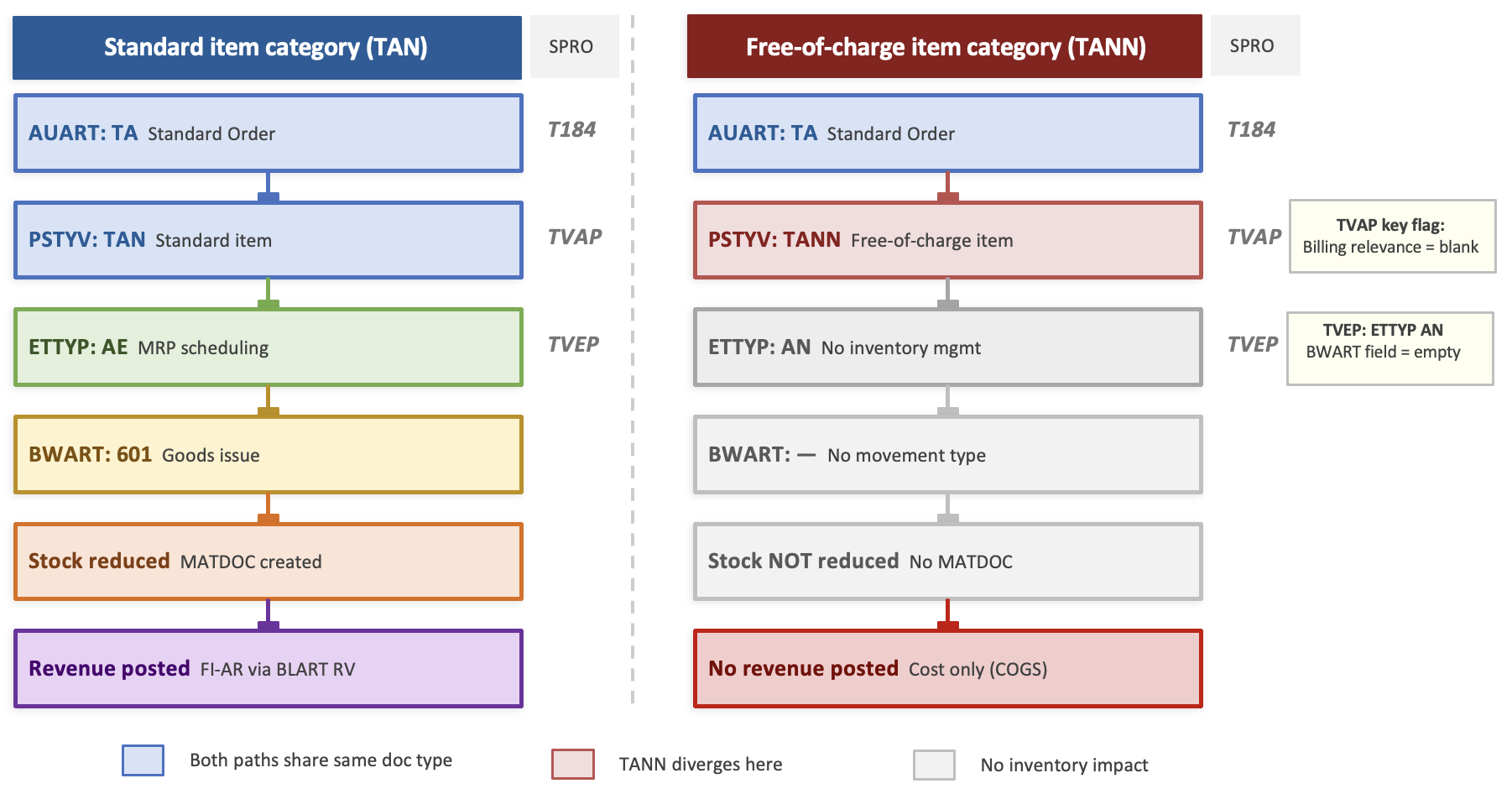
Example — determining whether a sales order item is free of charge:
- Table TVAP stores item category configuration. If the
PSTYVfield (item category) has the valueTANN, the ontology knows that this configuration is not billing-relevant — the item is therefore treated as Free of Charge. - Table TVEP stores schedule line key configuration, which determines whether a sales order item triggers a stock movement — for example, movement type
601for goods issue,638for returns, or blank for non-inventory items.
Movement types shown are standard SAP defaults. Your ontology will be populated from your own schedule line configuration, reflecting your specific system setup.
The ontology maps these technical values to business-level properties — so the AI assistant can reason in terms of BillingRelevance and StockMovement, not raw table fields.
Step 4 — Delivering the Ad Hoc Insight
With the ontology populated from SAP configuration, the AI assistant now has most of the knowledge required to answer the business user's question — on demand, without a new report.
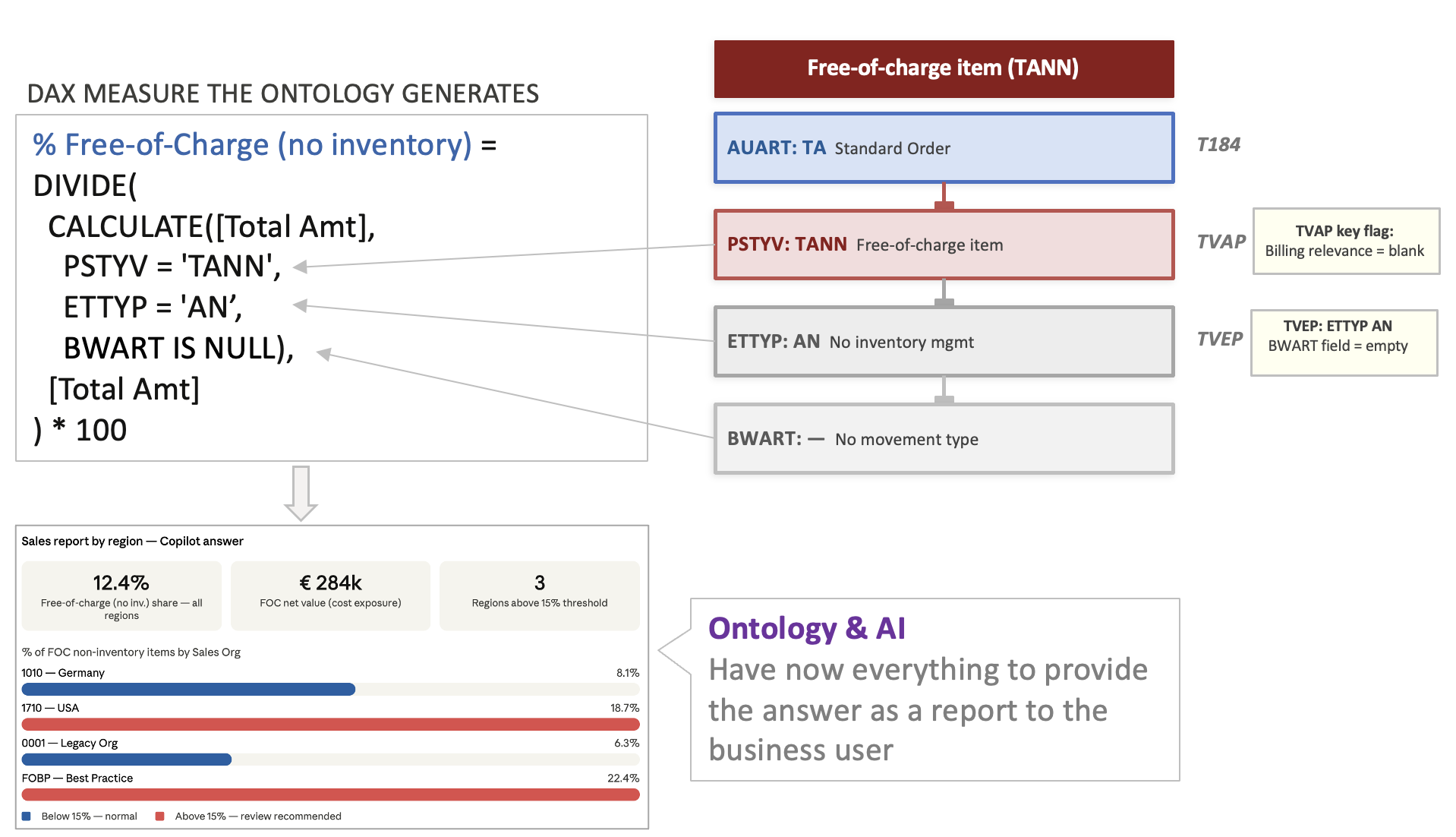
This illustration shows a simplified example of a Power BI DAX measure generated by an AI assistant integrated with Microsoft Fabric, based on Ontology knowledge.
Important note: This is a simplification only. In the real world, the ontology will not use
PSTYV = 'TANN'directly — instead it will use its own semantic property, such asBillingRelevance = 'NotBillable'orFreeOfCharge = true. The AI reasons at the ontology level, not at the raw database field level.
This is the power of the combined AI@CDS and Ontology approach: business users get answers to questions that could never be pre-built — and the system becomes smarter as more SAP configuration is mapped into the ontology.